n8n secure cookie error: what it means and how to fix it
By the TestedFlows team · Published November 12, 2026
Tested on n8n 2.43.5 · 11 November 2026
This page contains affiliate links. If you sign up through them we may earn a commission, at no extra cost to you. How we make money.
This is often the first error people see after installing n8n on a server: you open http://your-server-ip:5678 and get a warning page instead of the login screen. We reproduced it on n8n 2.43.5 on 11 November 2026, then tested each fix, including HTTPS through Nginx and a related proxy error that appears in the logs once HTTPS works. Every message below is copied from those tests.
The error
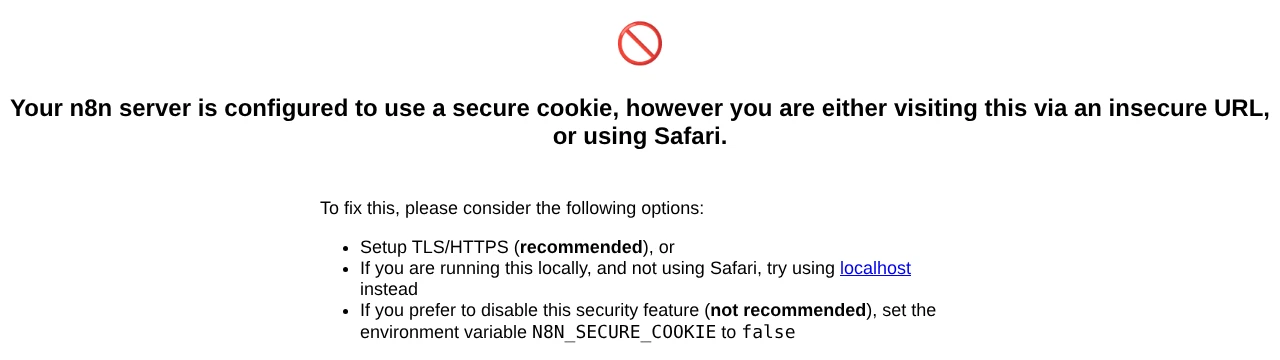
Your n8n server is configured to use a secure cookie, however you are either
visiting this via an insecure URL, or using Safari.

To fix this, please consider the following options:
- Setup TLS/HTTPS (recommended), or
- If you are running this locally, and not using Safari, try using localhost instead
- If you prefer to disable this security feature (not recommended), set the
  environment variable N8N_SECURE_COOKIE to false
Why it happens
When you log in, n8n stores your session in a cookie marked Secure, which tells the browser to send it only over encrypted HTTPS connections. Over plain http, the browser will not use that cookie, so you could never stay logged in. n8n detects this and shows the warning page instead of a login that would fail.
Browsers treat localhost as a safe exception, except Safari, which is why the message mentions it. Here is what we saw in Chrome with the default settings (our test instance listened on port 5690 instead of the usual 5678):
| How we opened n8n | Result |
|---|---|
http://192.0.2.2:5690 (server IP, no HTTPS) |
Secure cookie warning |
http://n8n.test (domain through Nginx, no HTTPS) |
Secure cookie warning |
http://localhost:5690 |
Login worked, with a secure session cookie |
https://n8n.test (domain through Nginx with HTTPS) |
Login worked, with a secure session cookie |
So the error is not about your password or your n8n installation. It is only about how you reach it.
Fix 1: serve n8n over HTTPS (recommended)
On any server reachable from the internet, put n8n behind a reverse proxy with a TLS certificate. With HTTPS in place, the warning disappeared and login worked in our test, with the secure cookie still switched on.
The easiest ways to get there:
- Caddy or Traefik request a free Let’s Encrypt certificate automatically. Our Docker guide, DigitalOcean guide and Hostinger guide all set this up for you.
- Nginx works too. Point a subdomain such as
n8n.yourdomain.comat your server, use the Nginx config from our Connection lost guide, then add a free certificate with Certbot:
sudo apt install certbot python3-certbot-nginx
sudo certbot --nginx -d n8n.yourdomain.com
Then tell n8n its public address, so webhook URLs use https too:
- N8N_WEBHOOK_URL=https://n8n.yourdomain.com/After that, always open n8n at https://n8n.yourdomain.com. Opening the raw http://ip:5678 address still shows the warning, which is correct: close port 5678 to the outside so only the HTTPS address works (see our security checklist).
Fix 2: use localhost for local testing
If n8n runs on your own computer, open http://localhost:5678 instead of http://127.0.0.1:5678 or your computer’s network address. In our test, Chrome accepted the secure cookie on localhost and login worked without changing any setting. In Safari, use Fix 1 or Fix 3 instead.
Fix 3: turn off the secure cookie (private networks only)
Add this to n8n’s environment and restart:
- N8N_SECURE_COOKIE=falseWith this set, we could open http://192.0.2.2:5690 and log in normally; the session cookie was no longer marked Secure.
Only do this when n8n is reachable solely from a network you control, such as a home lab or a VPN. Over plain http, your password and session cookie travel unencrypted, so anyone on the same network path can read them and take over your n8n account, along with every credential stored in it. On a public server, use Fix 1.
The next error: X-Forwarded-For and trust proxy
Once n8n runs behind Nginx with HTTPS, you may see this in the n8n log, even though everything works:
ValidationError: The 'X-Forwarded-For' header is set but the Express 'trust proxy'
setting is false (default). This could indicate a misconfiguration which would
prevent express-rate-limit from accurately identifying users.
code: 'ERR_ERL_UNEXPECTED_X_FORWARDED_FOR'
Cause: your proxy passes the visitor’s IP address in the X-Forwarded-For header, but n8n has not been told that it sits behind a proxy, so it ignores the header.
Fix: tell n8n how many proxies are in front of it. With one proxy (Nginx, Caddy or Traefik), add:
- N8N_PROXY_HOPS=1In our test, the error appeared on the first login through Nginx without this setting and did not appear at all with N8N_PROXY_HOPS=1. If there is another proxy in front, such as a load balancer, use the total number of proxies between the internet and n8n.
Recommended settings for n8n behind a proxy
For a typical self-hosted setup with one reverse proxy handling HTTPS:
- N8N_HOST=n8n.yourdomain.com
- N8N_PROTOCOL=https
- N8N_WEBHOOK_URL=https://n8n.yourdomain.com/
- N8N_PROXY_HOPS=1
Leave N8N_SECURE_COOKIE at its default (true).
Setting up HTTPS and a proxy is the part of self-hosting where most people get stuck. If you would rather have it done for you, see our n8n setup service.
Try n8n Cloud freeFrequently asked questions
Is it safe to set N8N_SECURE_COOKIE to false?
Only on a private network or for local testing. On a public server it sends your login session without encryption. Setting up HTTPS removes the warning without that risk.
Why does n8n work on localhost but not on my server IP?
Browsers allow secure cookies on localhost even without HTTPS, but not on an IP address or domain. In our test, the same instance worked on localhost and showed the warning at its IP address.
Why does it fail in Safari even on localhost?
Safari does not treat http://localhost as secure for cookies. Use HTTPS, or for local testing set N8N_SECURE_COOKIE=false.
I set up HTTPS but still see the warning. Why?
You are probably still opening the old http:// address or the server IP. Open the https:// domain instead. If your proxy redirects http to https and you still see it, clear the browser’s cache for the site.
Does n8n Cloud have this error?
No. n8n Cloud always uses HTTPS.
How we tested: on 11 November 2026 we ran n8n 2.43.5 in production mode and opened it in Chromium directly over http by IP and by localhost, then through Nginx 1.24 over http and over HTTPS with a test certificate, with and without N8N_SECURE_COOKIE=false and N8N_PROXY_HOPS=1. Messages and results above are from those runs.
Sources: n8n deployment environment variables, express-rate-limit: ERR_ERL_UNEXPECTED_X_FORWARDED_FOR, Certbot.
Get the free workflow template pack
Tested n8n workflows you can import in one click, plus a short email when new templates and comparisons go live.